Water fill issues with Samsung washing machines
Power issues with Samsung washing machine
Whether your washer will not turn on or turns off by itself, stops unexpectedly, or won't turn off, it's likely due to an issue with the washing machine's power cord or its electrical connection to your home's power grid. Checking whether it's your washing machine's issue or your power supply's issue doesn't take long and will save you time.

Power issues with Samsung washing machine
What power issue is your washing machine experiencing?
Washing machine will not turn on or turns off by itself
Washing machine stops unexpectedly
Washing machine won't turn off
Washing machine will not turn on or turns off by itself
1
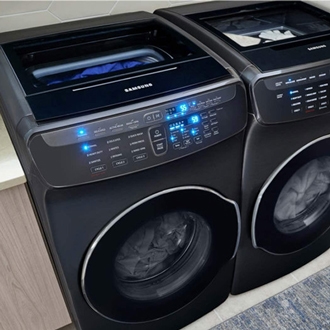
(FlexWash models) Press the correct Power button.
FlexWash models have two Power buttons. If you're using a FlexWash model, make sure you are pressing the correct Power button for your desired washer.
2
Make sure the power cord is plugged in.
The outlet needs to be a well-grounded, 120V, three-prong outlet, protected by a 20-amp circuit. To confirm the outlet is working, plug in something else, like a lamp.
3
Check if the power cord is damaged.
If the power cord is damaged, visit our Support Center to request service.
4
Verify the laundry room has its own dedicated circuit.
Your washer and dryer will typically share the same circuit, although electric dryers require a 240V outlet that a washer cannot use. Do not have any other devices on the same circuit as the washer and dryer.
5
Check if the circuit breaker has been tripped.
Tripped circuits often look like they're on (see the lowest circuit in the image). To be sure, switch the circuit off, then back on again.

6
Make sure the washer is not plugged into a surge protector.
Samsung does not recommend using surge protectors with our washers.
7
Washing machine stops unexpectedly
Important
If your washer turns off when it stops a cycle, see the "Washer will not turn on or turns off by itself" section.
1
Check for an error code.
Some models will display an error code directly, while other models will use blinking lights. If an error code displays, troubleshoot it first.
2
Restart the cycle.
Open and then close the door firmly (without slamming it), select the desired cycle, and then press Start/Pause to restart the washer.
3
Washing machine won't turn off
Note
2-in-1 models have two Power buttons, one for each washer. On these models, make sure the correct Power button is being used.
1
Cycle the power to the washer.
If the washer will not turn off, unplug the washer or turn off its power at the circuit breaker. Wait 60 seconds. Then, turn the washer back on and try to turn it off again.
2
Recommended Articles
The Samsung washer door is locked
Your washer door locks to prevent water from coming out (especially for front load models). Child Lock also will lock the door on some models, like front loaders. Normally waiting for the cycle to end is all you need to do to unlock the door, or turn your washer on if it's off. If you get stuck, though, you can drain the water from front load washe
Auto dispenser refill message displays on Samsung washer
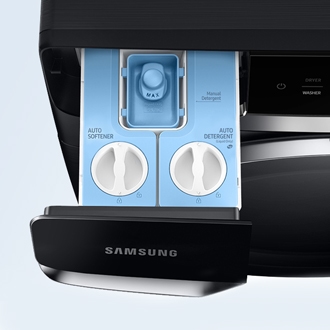
Some of our washing machines come with an automatic dispensing feature, which is turned on by default on certain cycles. If the auto dispensing compartment is not filled with the corresponding liquid, such as detergent or fabric softener, you will see a message on the display saying "Refill detergent," "Refill softener," or "Refill detergent and so
We're here for you
Contact Samsung Support
Contact us online through chat and get support from an expert on your computer, mobile device, or tablet. Support is also available on your mobile device through the Samsung Members App.

