How have Samsung Cloud and Gallery Sync changed?
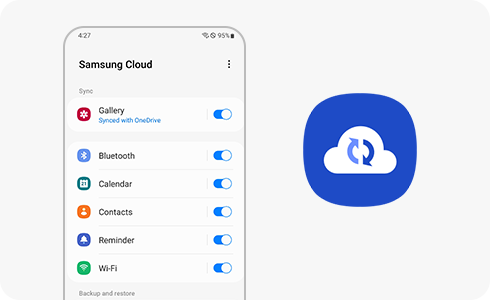
Samsung Cloud is discontinuing Gallery Sync and Drive features and replacing them with Microsoft OneDrive. Your photos, videos, and files stored in these services will be permanently deleted once the transition is complete. To avoid data loss, back up your content using one of the available options before the cutoff date for your region.
1. Why is Samsung Cloud Gallery Sync and Drive being discontinued?
Samsung is phasing out Gallery Sync and Drive to streamline cloud services and enhance user experience through integration with Microsoft OneDrive. This change allows users to benefit from improved storage management, seamless syncing, and enhanced security features provided by OneDrive.
- Improved cloud storage solutions through Microsoft OneDrive integration.
- Enhanced syncing capabilities for photos, videos, and files.
- Better data security and privacy features.
2. What should I do to back up my data?
To ensure you retain your photos, videos, and files, follow these steps:
- Sign in to your Samsung Cloud account on your device or via the web.
- Select the data you want to back up, including photos, videos, and files from Gallery Sync and Drive.
- Choose one of the following options to migrate or download your data:
3. What are my data backup options?
You have two options to back up your data:
Option 1: Migrate to Microsoft OneDrive
Using the OneDrive integration feature, you can seamlessly migrate your photos, videos, and files from Samsung Cloud to OneDrive. This option is available until the end of Stage 2 of the transition process.
Option 2: Download to a personal device
You can download your data directly to a personal device by logging into your Samsung Cloud account and following the provided instructions. Once downloaded, you can store the data locally or transfer it to another cloud service.
4. What happens after the transition?
Once the transition is complete, the following changes will take effect:
- Gallery Sync and Drive features will be permanently disabled.
- All data stored in these features will be deleted from Samsung Cloud servers.
- You will no longer be able to use Gallery Sync or Drive for new backups.
5. When will these changes take effect?
The transition occurs in three stages, with specific dates depending on your region:
Stage 1: Subscription to Samsung Cloud Gallery Sync, Drive, and Premium Storage will no longer be available. Existing Premium Storage subscriptions will be automatically canceled, and refunds may be issued.
Stage 2: OneDrive integration for data migration will no longer be supported. You can still download your data to a personal device until the end of this stage.
Stage 3: Gallery Sync and Drive features will be terminated, and all associated data will be permanently deleted. Downloading data will no longer be possible.
For specific dates applicable to your region, including Arab Gulf countries, please refer to the official notice.
6. Supported Samsung Galaxy devices
These changes apply to all Samsung Galaxy devices that use Samsung Cloud, including:
- Galaxy S24, S25, S26 series
- Galaxy Z Fold and Galaxy Z Flip series
- Galaxy A series
7. Related Samsung support topics
Thank you for your feedback!
Please answer all questions.