How to troubleshoot a Samsung microwave oven
Why is my Samsung Microwave Not Working Properly?
If your Samsung microwave isn't functioning correctly, it could be due to improper usage, maintenance issues, or electrical problems. Follow these troubleshooting steps to resolve common issues like sparking, condensation, undercooking, or interference with nearby electronics.
1. Why is there condensation inside my Samsung microwave?
Condensation inside your Samsung microwave is often caused by high humidity levels or frequent use of water-heavy foods. It's generally harmless but can be minimized with proper ventilation.
- Ensure the microwave is well-ventilated after each use.
- Leave the door slightly open after cooking to allow steam to escape.
- Wipe down the interior with a dry cloth after every use.
2. Why is there airflow or steam escaping around the door?
Airflow or steam escaping from the door or vents typically indicates a misaligned door seal or obstruction.
- Check for debris or food particles around the door gasket.
- Inspect the door seal for damage or wear.
- Ensure the door closes securely without gaps.
3. Why does my Samsung microwave not start when I press the START/+30s button?
If your Samsung microwave doesn't start, it could be due to a simple oversight or a deeper issue.
- Verify the door is fully closed and latched.
- Check if the microwave is properly plugged in and receiving power.
- Ensure the control panel isn't frozen—press the CANCEL button to reset.
4. Why is my food not cooking at all in the microwave?
If your food isn't cooking, the issue may stem from incorrect settings, power issues, or overloading the circuit.
- Confirm the timer is set correctly and the START/+30s button is pressed.
- Check if the door is securely closed.
- Ensure the microwave isn't tripping a circuit breaker or blowing a fuse.
5. Why is my food overcooked or undercooked in the microwave?
Undercooked or overcooked food often results from incorrect settings or inappropriate cooking times.
- Set the correct cooking time based on the food type and weight.
- Select the appropriate power level for your meal.
- Stir or rotate food halfway through cooking for even heat distribution.
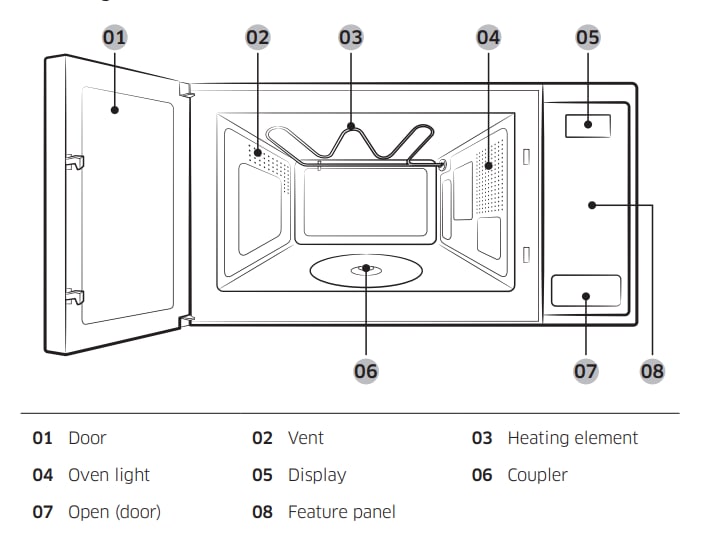
6. Why is the light bulb not working in my Samsung microwave?
A non-functional light bulb should not be replaced personally for safety reasons.
- Contact Samsung Support to schedule a service technician.
- Visit your nearest Samsung Service Center for assistance.
7. Why is there sparking or arcing inside the microwave?
Sparking or arcing in the microwave is usually caused by metal objects inside the cavity.
- Metal trimmings on dishes can cause arcing.
- Forks, spoons, or other metal utensils left inside the microwave can create sparks.
- Aluminum foil placed too close to the walls can also trigger arcing.
8. Why does my Samsung microwave produce smoke or a bad smell during initial use?
Smoke or a bad smell during the first few uses is normal and caused by new components heating up.
- Run the microwave empty for 10 minutes to eliminate the odor.
- Place lemon slices or lemon juice inside the microwave and run it for 1 minute to speed up the process.
9. Why does my Samsung microwave interfere with radios or TVs?
Microwaves can cause minor interference with nearby electronics due to electromagnetic emissions.
- Position the microwave away from radios, TVs, and antennas.
- If the display resets due to interference, unplug the microwave, wait 10 seconds, and plug it back in.
10. Additional things to check
Regular maintenance ensures optimal performance and longevity of your Samsung microwave.
- Clean the interior regularly to prevent food buildup and odors.
- Inspect the door seal periodically for wear or damage.
- Ensure the microwave is not overloaded on the same electrical circuit.
11. Supported Samsung microwave models
These troubleshooting tips apply to most Samsung microwave models, including countertop and built-in variants. For specific model details, refer to the U-Manual or contact Samsung Support.
12. Related Samsung support topics
Thank you for your feedback!
Please answer all questions.